> ## Documentation Index
> Fetch the complete documentation index at: https://docs.prismy.io/llms.txt
> Use this file to discover all available pages before exploring further.
# Chrome Extension
> In-context editing directly from your webapp
# Download link
# Context
We wanted to provide a way for the business people, product managers, designers to edit the wording of their webapp/website without having to open Prismy.
We build our Chrome Extension to enable wording changes directly from your webapp or website.
# Main features
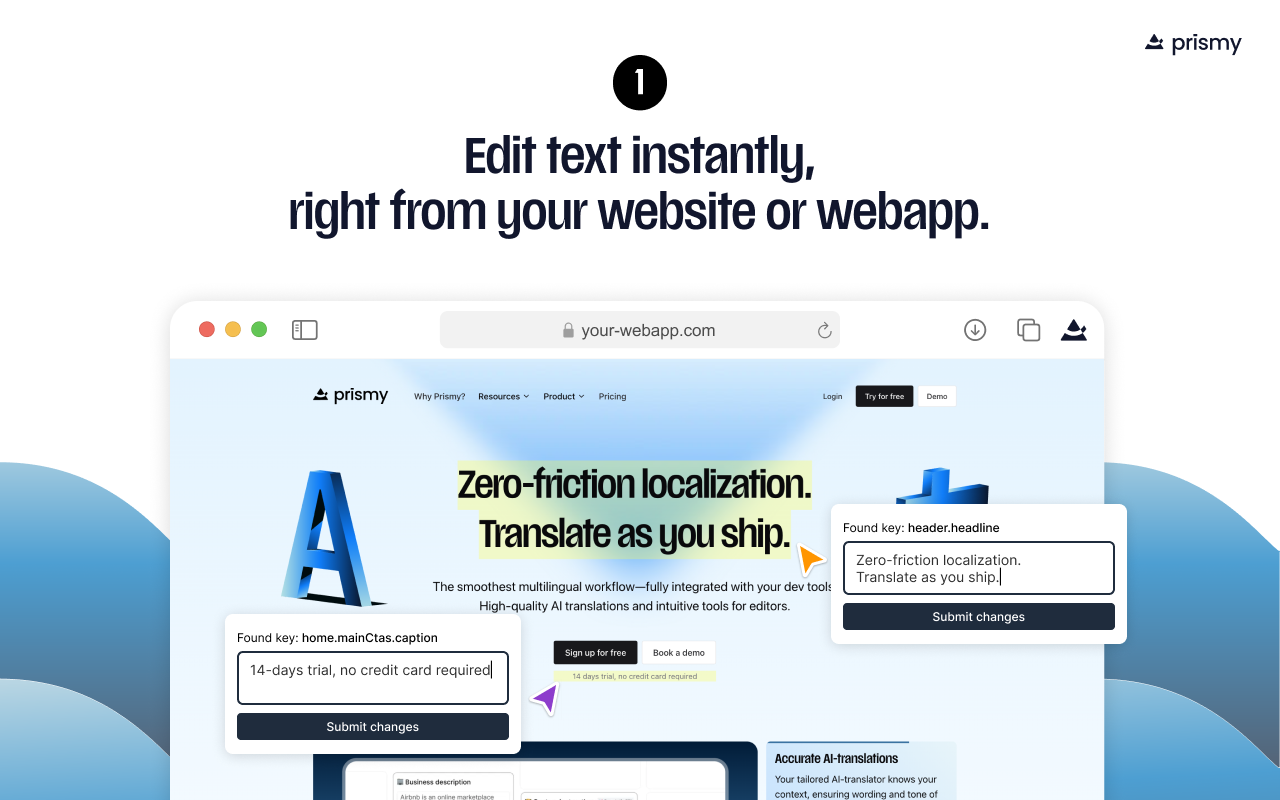
**✏️ Edit copy in place**
Click on any text element on your live site or app and update the wording instantly — no need to touch the codebase.
**👀 Preview before publishing**
See your changes in context before they go live to ensure perfect fit and flow.
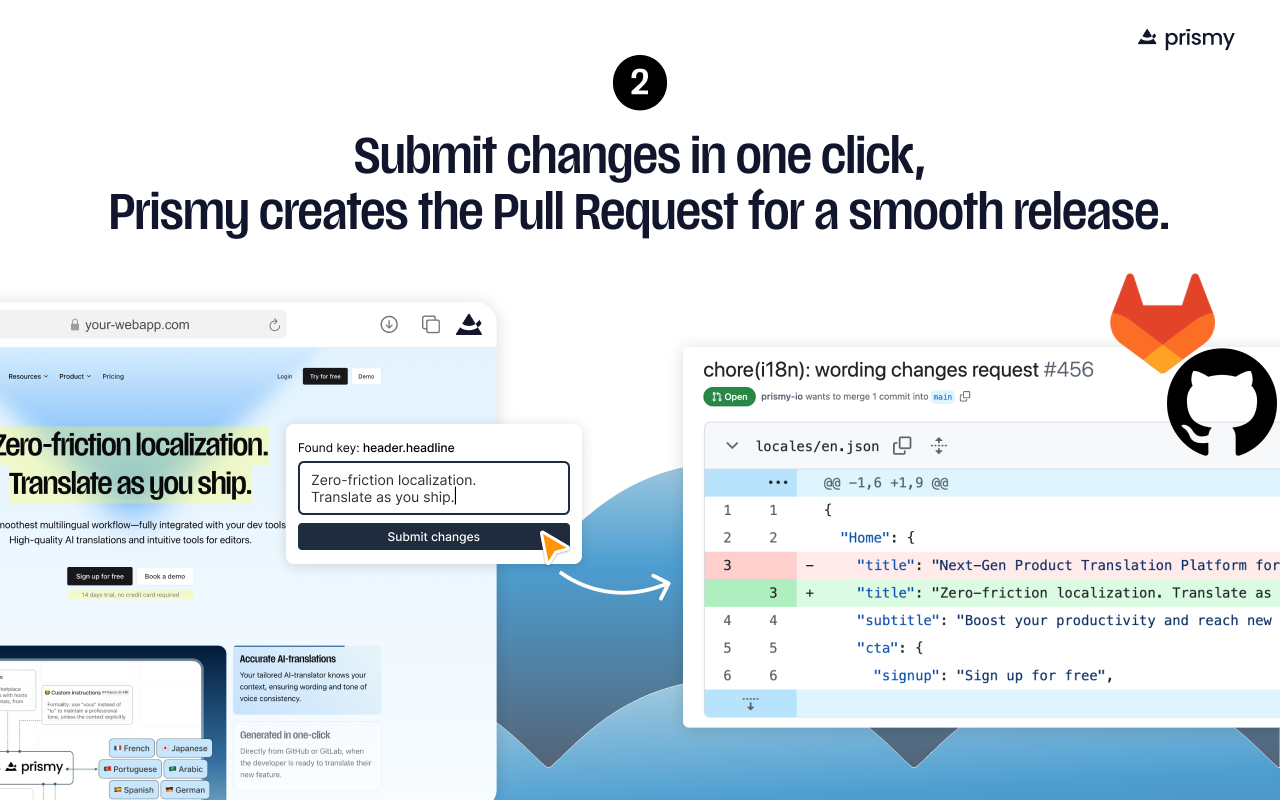
**🚀 Submit changes in one click**
We auto-generate a Pull Request with your updates — fully synced with your Git repo and localization files (e.g. locales/en.json).
🤖 AI-powered translations + human review
Generate high-quality AI translations, then refine them on the fly — all within the Chrome Extension. No external tools needed.
⚡ Built for fast-moving teams
Empower marketers, PMs, and localization leads to review AI-translated content and make live changes when needed — while developers stay focused on shipping features.
# Screenshots
 {" "}
{" "}