> ## Documentation Index
> Fetch the complete documentation index at: https://docs.prismy.io/llms.txt
> Use this file to discover all available pages before exploring further.
# Quickstart
> No more than 5 minutes are required!
## Plug to your codebase (1 minute)
You can either plug Prismy to your Git repo (GitHub or GitLab) or use **Prismy Hosted** to store and serve translations in the cloud.
You can do so from your [Settings](https://app.prismy.io/settings):
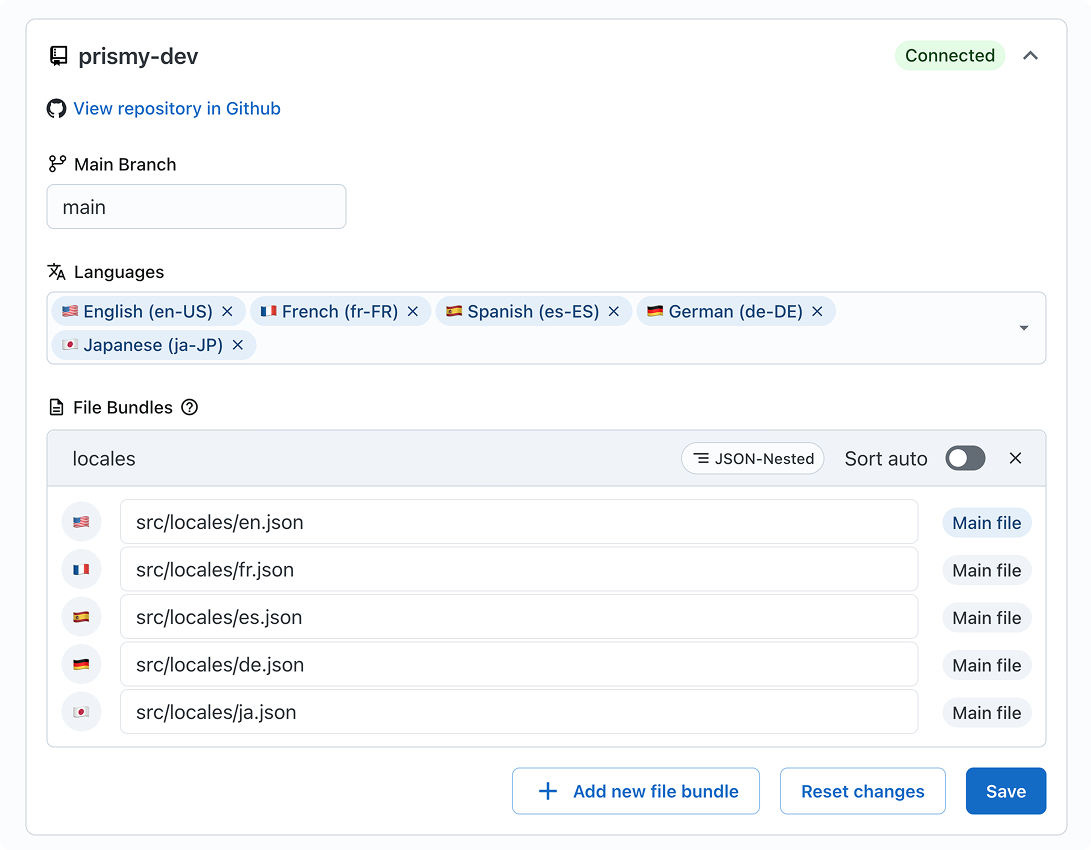 You must have a framework with a built-in support of localization in place or an i18n library implemented.
Learn more about [Pre-requisities](tech/pre-requisities) and [supported frameworks and files](tech/frameworks-and-files).
You have too much translations files and you often add new ones when implementing new features? Consider to setup [Prismy's config file](doc/config-file) at the root of your repository!
**Git:** Prismy syncs your translation files automatically
**Git:** Prismy detects missing translations in Pull Requests
**Git:** Developers can generate translations in one click; translators can
review and make changes
**Prismy Hosted:** Push/pull via API or CLI; Prismy hosts files and serves
CDN URLs. See the [Prismy Hosted flow](tech/prismy-hosted-flow).
## Tailor your AI (3 minutes)
The first step to world-class documentation is setting up your editing environments.
Give context about company to the AI
Ensure consistency and improve translation
Prismy has already instructed your AI translator to fit your languages
standards. But in case you need to be more formal or specify specific tone
of voice.
You must have a framework with a built-in support of localization in place or an i18n library implemented.
Learn more about [Pre-requisities](tech/pre-requisities) and [supported frameworks and files](tech/frameworks-and-files).
You have too much translations files and you often add new ones when implementing new features? Consider to setup [Prismy's config file](doc/config-file) at the root of your repository!
**Git:** Prismy syncs your translation files automatically
**Git:** Prismy detects missing translations in Pull Requests
**Git:** Developers can generate translations in one click; translators can
review and make changes
**Prismy Hosted:** Push/pull via API or CLI; Prismy hosts files and serves
CDN URLs. See the [Prismy Hosted flow](tech/prismy-hosted-flow).
## Tailor your AI (3 minutes)
The first step to world-class documentation is setting up your editing environments.
Give context about company to the AI
Ensure consistency and improve translation
Prismy has already instructed your AI translator to fit your languages
standards. But in case you need to be more formal or specify specific tone
of voice.