> ## Documentation Index
> Fetch the complete documentation index at: https://docs.prismy.io/llms.txt
> Use this file to discover all available pages before exploring further.
# GitHub
> No more than 5 minutes are required!
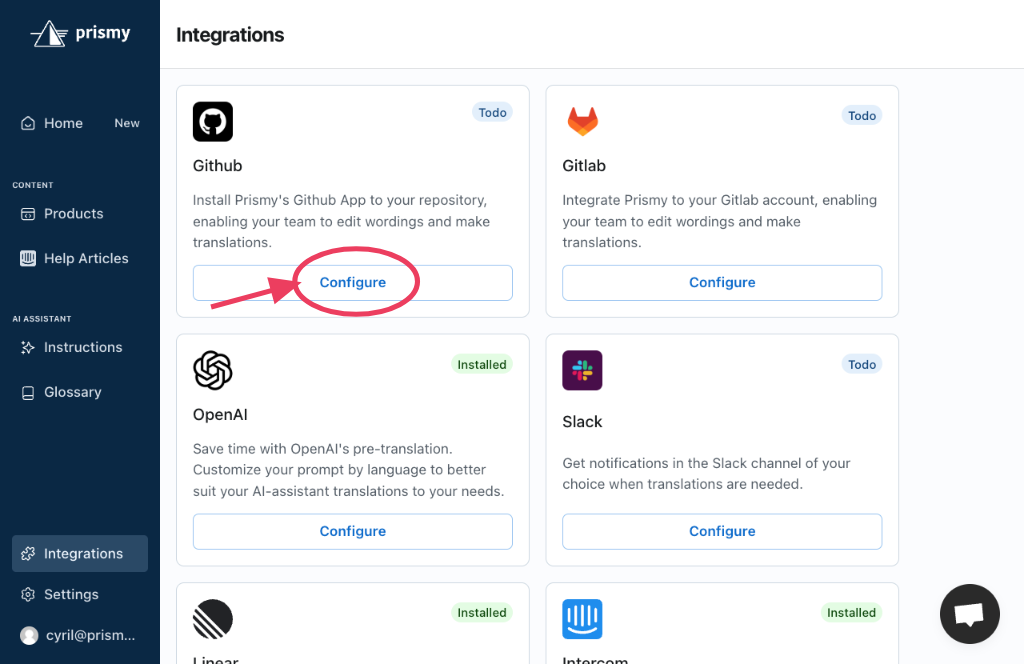
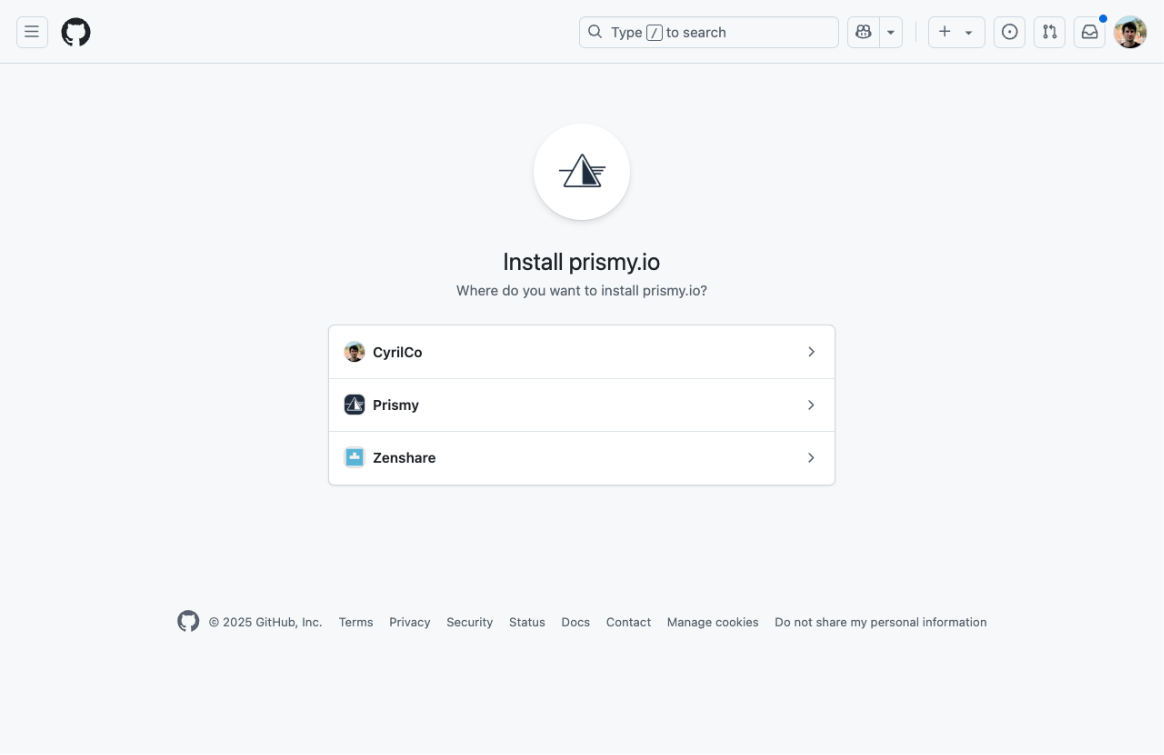
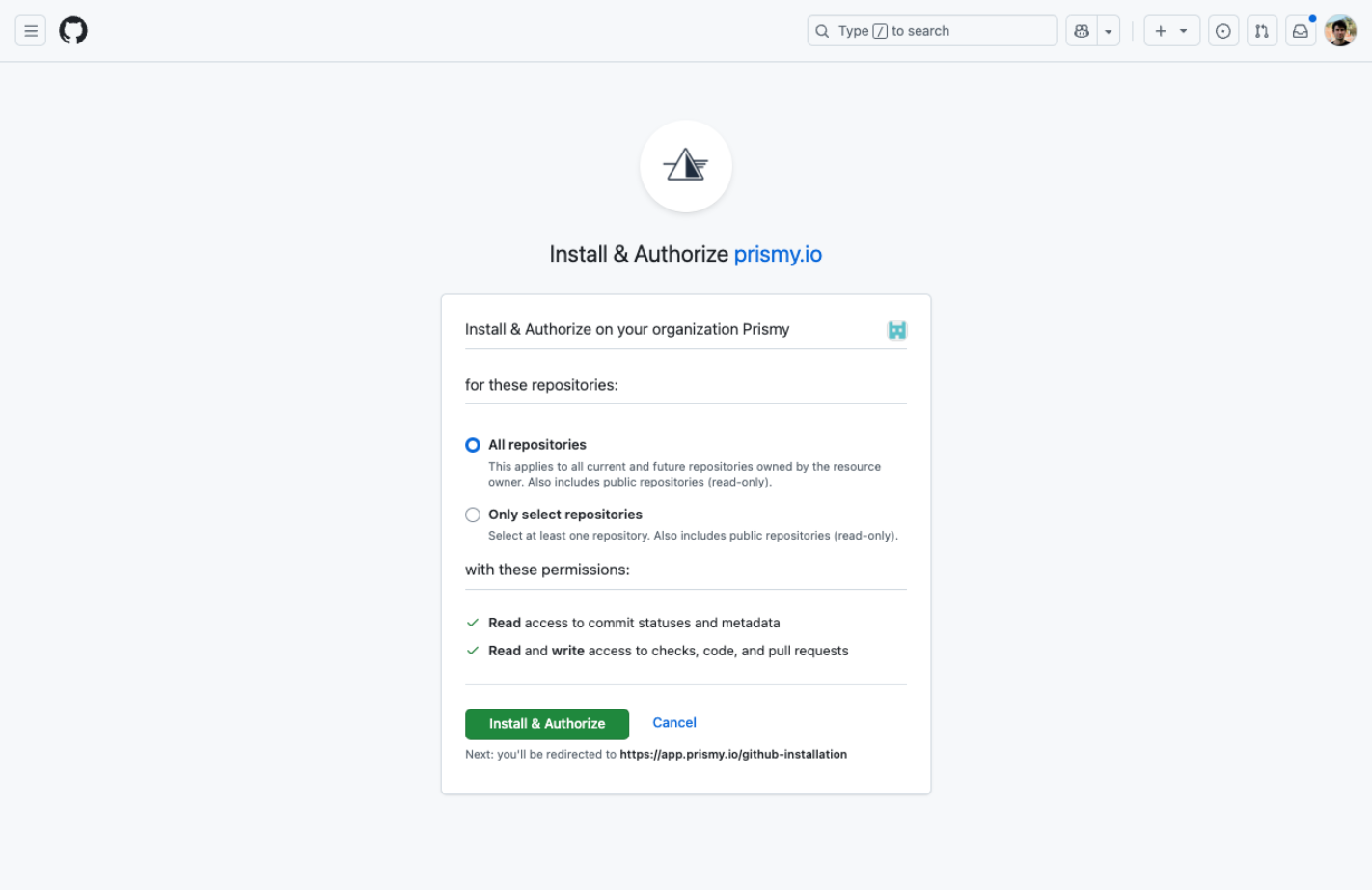
We created a Github App to make the installation the smoothiest possible.
With this two clicks installation, here's what you'll automatically unlock:
* Automatic sync of your translations files
* Automatic detection of missing translations in your Pull Requests
* Ability to generate needed translations in one click
* Ability to review and make changes to the translations from Prismy's interface
* Get notified directly from Prismy when a new translation is needed
* Receive requested changes from translators in a conflict-free pull request
* Collaborate on feature branches with your translators
* \[optional] Github checks to warn developers about missing translations on their commits
## Installation
 ## Usage
Once installed, you will be redirected to the Settings to define your i18n files location.
Next: [Define your files location in your settings](./files-to-sync).
## Usage
Once installed, you will be redirected to the Settings to define your i18n files location.
Next: [Define your files location in your settings](./files-to-sync).