

1️⃣ Fully integrated into the developer journey
When developing a new feature
With Prismy, you only need to create keys in one language. Generate translations for all new wordings with just one click when ready to ship.Generate translations from GitHub/GitLab comments
Generate translations from GitHub/GitLab comments
When you open a Pull/Merge request, Prismy detects new wordings requiring
translation and comments with a button. Click it, and Prismy generates AI
translations and commits them directly to your feature branch.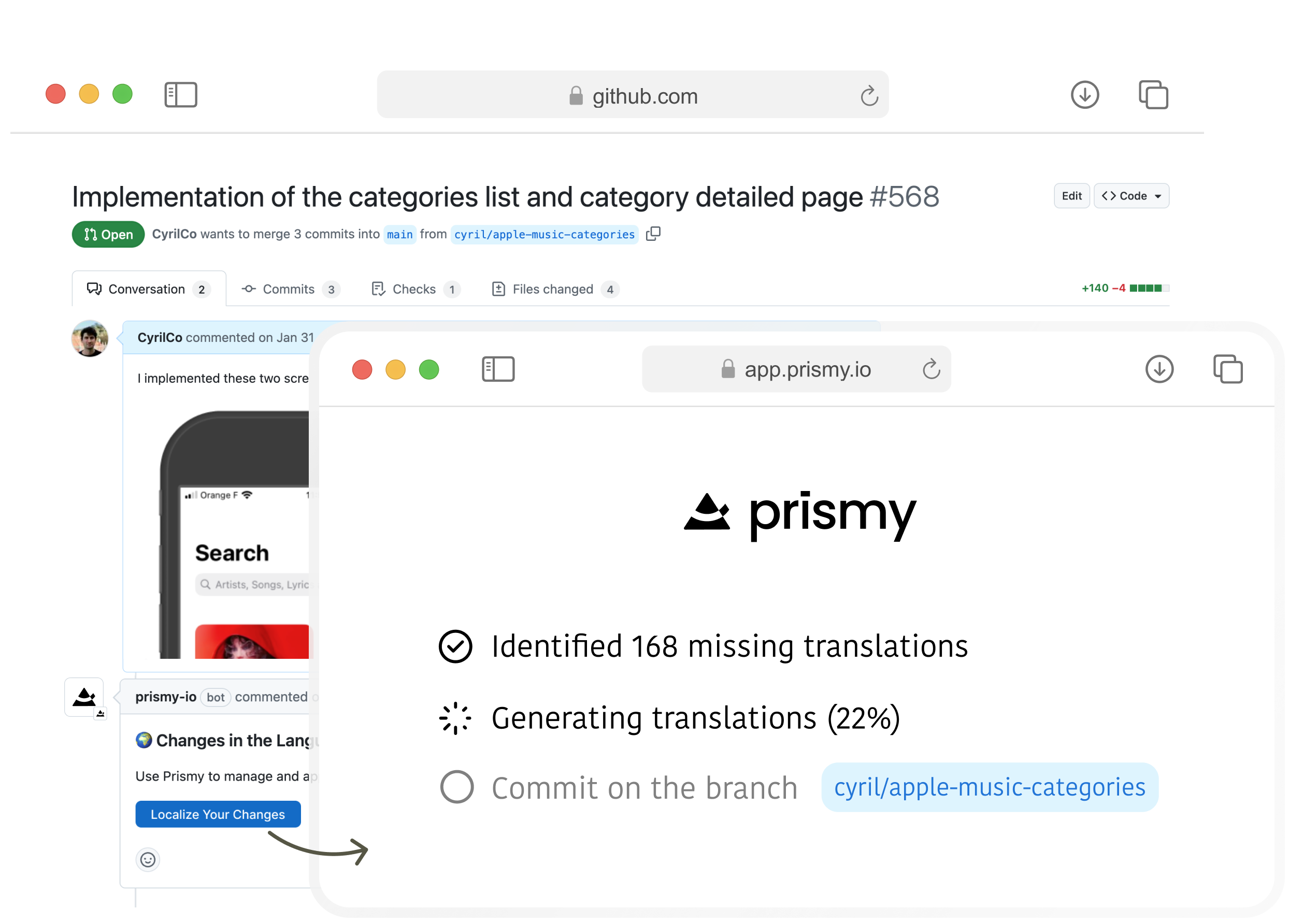
Generate translations using our CLI
Generate translations using our CLI
Run 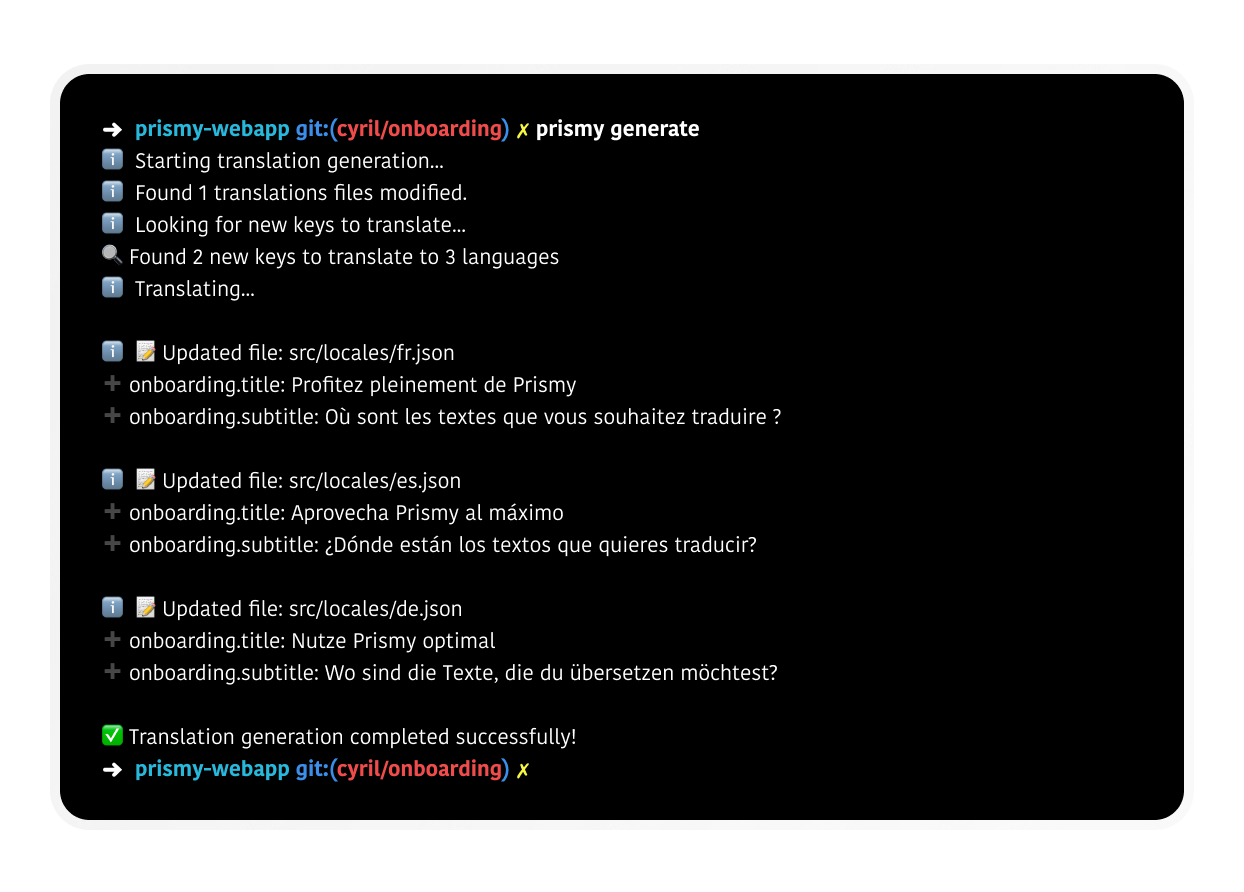
prismy generate from your terminal. Prismy identifies new translations
and edits your files locally, letting you test your feature in multiple
languages immediately.When receiving wording changes
When team members update wordings, developers receive changes directly in GitHub/GitLab as pull requests. We consolidate multiple changes into a single PR and automatically rebase against your main branch to prevent conflicts.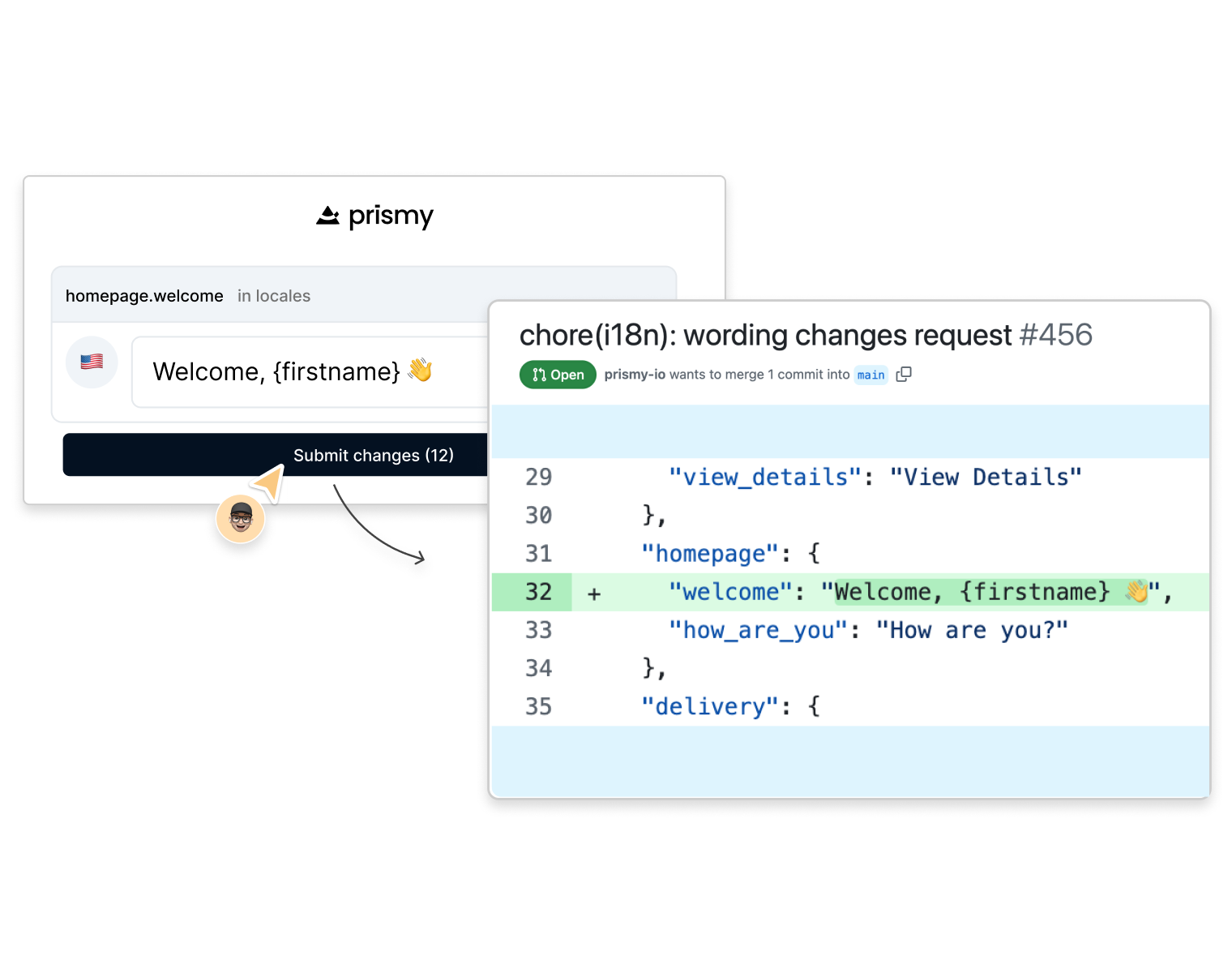
Installation in one click
Install Prismy with one click—no custom sync scripts needed. Prismy treats your codebase as the source of truth and automatically detects your translation files. Works with any i18n library or framework.Can't plug to Git? Use Prismy Hosted
Can't plug to Git? Use Prismy Hosted
If you don’t use GitHub or GitLab for translations, you can use Prismy Hosted: push and pull files via API or CLI, configure repos and bundles in the Prismy UI, and use CDN-hosted versions of your files that update when you change content.
Prismy Hosted flow
See the dedicated guide for the full flow.
2️⃣ Great tools for reviewers
Great, easy-to-use interface
Designed for anyone at your company who reviews or edits wordings—translators, PMs, or marketing teams. Key features:- Guided homepage with clear onboarding
- Automated context from screenshots and design mockups
- AI suggestions based on your brand guidelines
- Changes history with full audit trail
- Syntax checker to catch formatting errors
In-context editing with our Chrome Extension
Edit your webapp’s text directly while browsing your app. Perfect for business people during demos, PMs refining copy, or designers perfecting messaging. Key benefits:- No context switching—edit without leaving your product
- Visual validation in real environment
- Changes automatically sync back to codebase
Chrome Extension
Learn more about our Chrome Extension